
Features
Online play, extra mods, FPoSu, replays and integrations.
Online
- Leaderboards: map leaderboards, global rankings and profiles. You choose which leaderboard provider to use.
- Multiplayer: rooms with the usual osu! team modes and win conditions. Hosts can run them from chat with !mp commands.
- Spectating and chat, with your own channels.
- Beatmap browser: find and download maps in-game, with audio previews.
- Screenshots: Shift+F12 uploads a screenshot and copies its link.
Mods
On top of the usual osu! mods, the mod menu has:
- Speed/BPM multiplier: pick the exact speed, not only DT or HT.
- AR, CS, OD and HP overrides: set any value from 0 to 12.5.
- Experimental mods: listed below.
Most of them still submit scores on neomod. The ones that don't are marked below. Auto, and Easy together with Hard Rock, don't submit either.
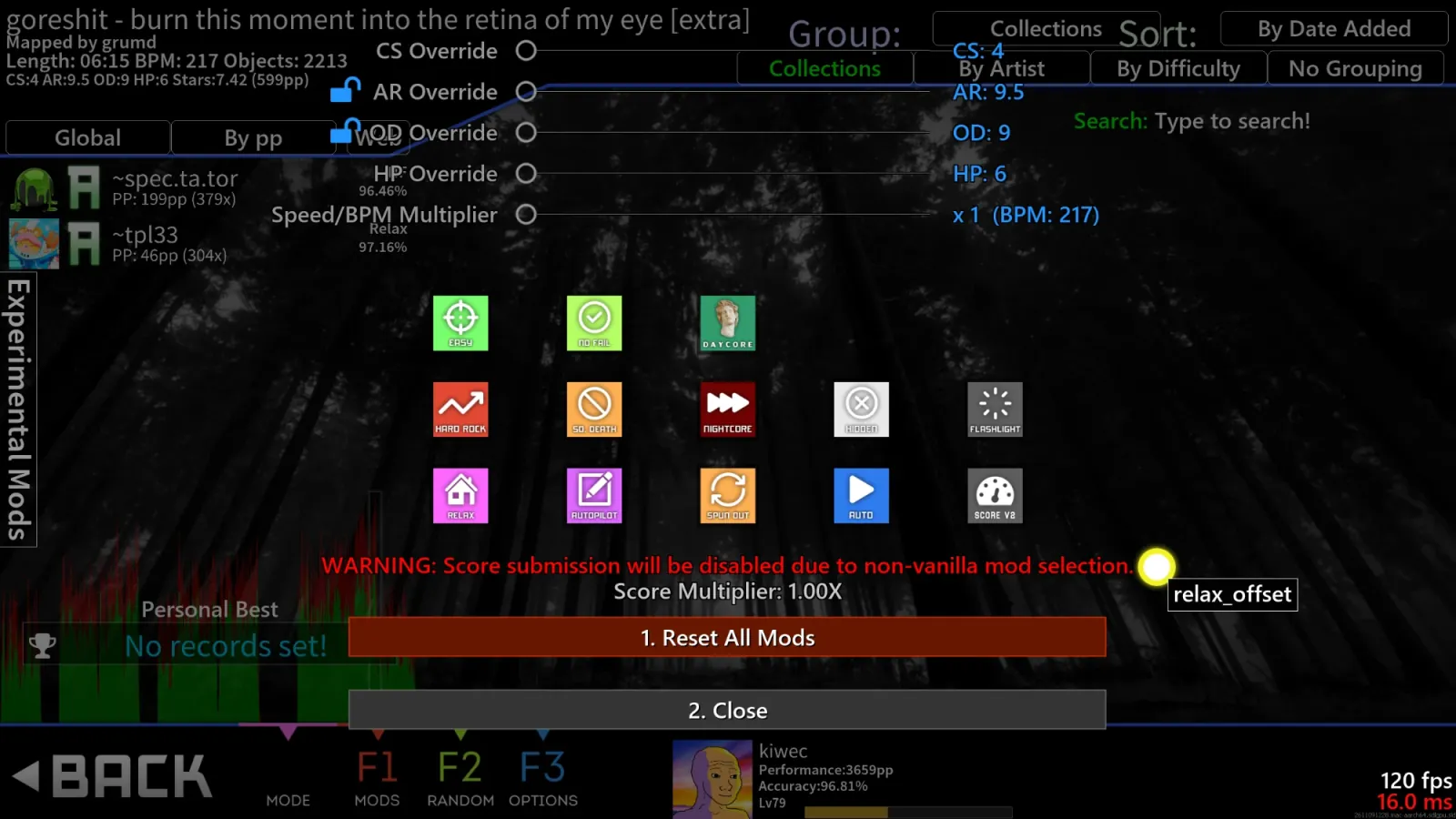
Experimental mods
| Mod | Effect |
|---|---|
| Flip Up/Down | The playfield is flipped upside down. |
| Flip Left/Right | The playfield is mirrored left to right. |
| Singletap | You can only press one key. |
| Alternate | You can never press the same key twice in a row. |
| No keylock | You can use 4 keys instead of 2. |
| DKS | Releasing a key also clicks hitcircles. |
| Traceable | Hitcircles are invisible. |
| Freeze Frame | All hitobjects of a combo appear together. |
| No pausing | You can't pause. |
| FPoSu: Strafing no submit | The playfield moves in 3D space. Only in FPoSu. |
| Wobble | The playfield rotates and moves. |
| AR Wobble | The approach rate goes up and down by 1. |
| Approach Different no submit | Changes the approach circle animation. |
| Timewarp | The speed goes from 100% to 150% over the map. |
| AR Timewarp | The approach rate goes from 100% to 50% over the map. |
| Minimize | Circles shrink from 100% to 50% over the map. |
| Fading Cursor | The cursor fades as your combo grows, and disappears at 50. |
| First Person | The cursor stays centered. |
| Precise sliders | The slider follow circle is much smaller. |
| Reverse Sliders | Every slider goes the other way. |
| No 50s | Only 300s or 100s. |
| No 100s no 50s | 300 or miss. |
| MinG3012 | Only 300s or 50s. |
| Half Timing Window no submit | The hit window is cut in half. |
| MillhioreF | Go below AR 0, with twice the approach time. |
| Mafham | See the whole map at once. |
| Strict clicks | Unnecessary clicks count as misses. |
| Strict Tracking | Leaving a slider counts as a miss. |
| Target Practice no submit | Accuracy depends on how close to the center of each object you hit. |
FPoSu
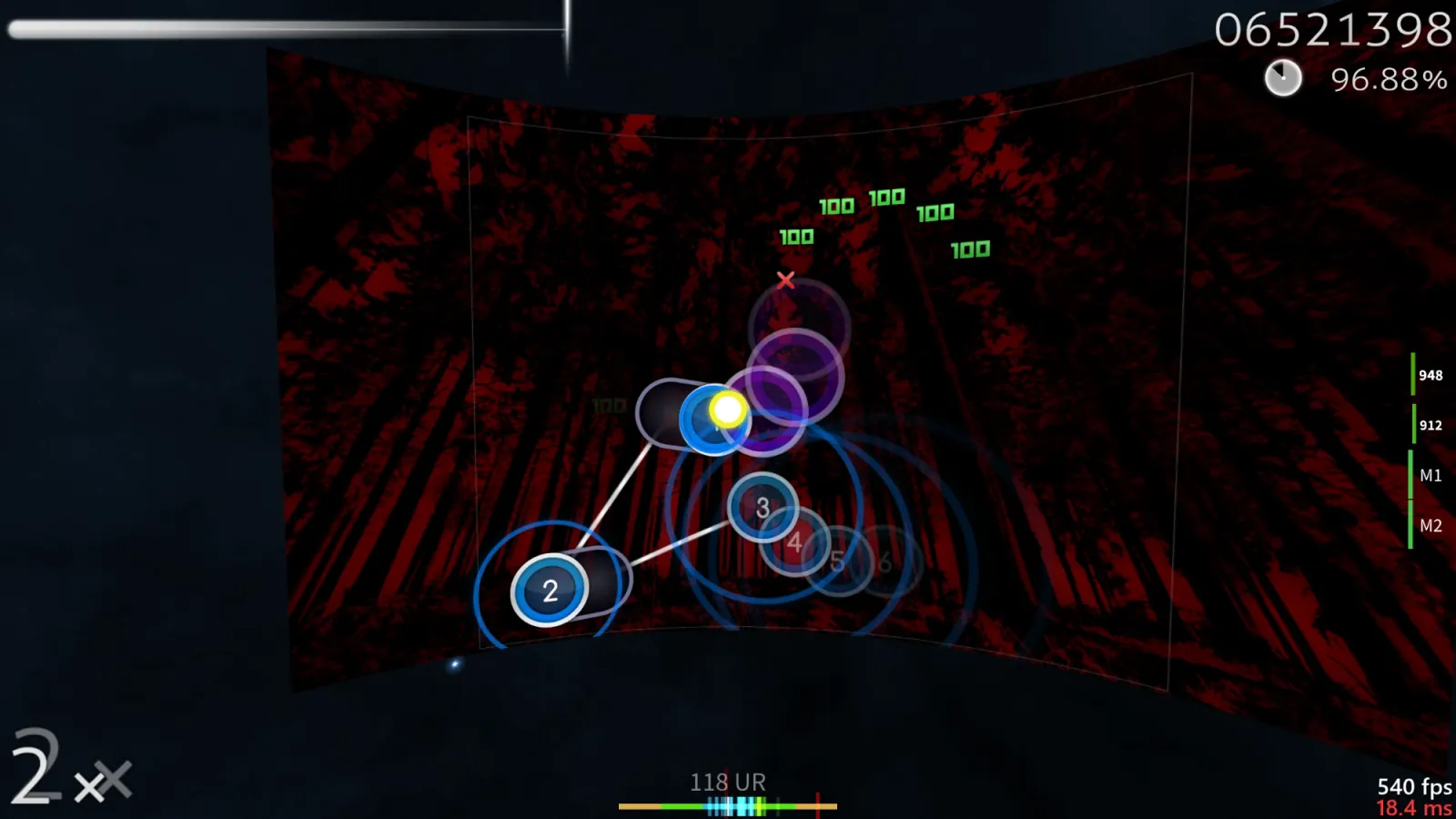
FPoSu is a first-person 3D mode: the playfield is in front of you, and you aim by turning the camera. Turn it on in Options > FPoSu (3D).
Replays
- Watch replays of your scores and of other players on the leaderboards.
- Press F2 while paused or after failing to rewatch the last 15 seconds.
- osu!lazer replays play too.
Platforms
- Windows, Linux and macOS (Apple Silicon), from the downloads page.
- In your browser, with nothing to install.
Integrations
- Discord: log in with your Discord account, and show what you're playing on your Discord profile.
- Twitch: connect Twitch in your settings to read and answer your stream chat in-game. Viewers can type
!npto see which map you're playing.